
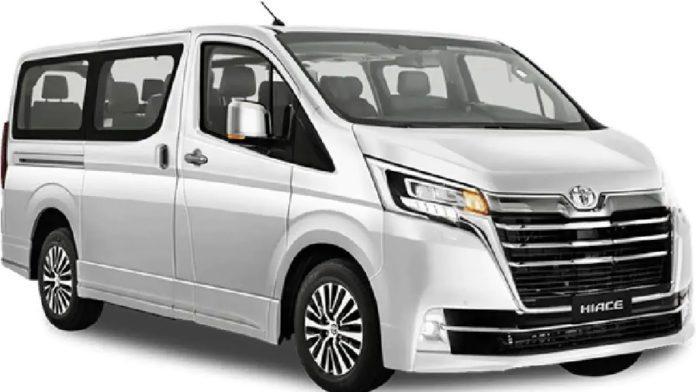
Planning a WiFi rental car Rwanda trip means sorting out two things: a vehicle that can handle the hills, and a data connection that keeps your maps, bookings and messages working. This guide explains how to stay online from the moment you land in Kigali to the last park gate. It also covers where signal fades, what to set up before you drive, and how to keep every device charged.
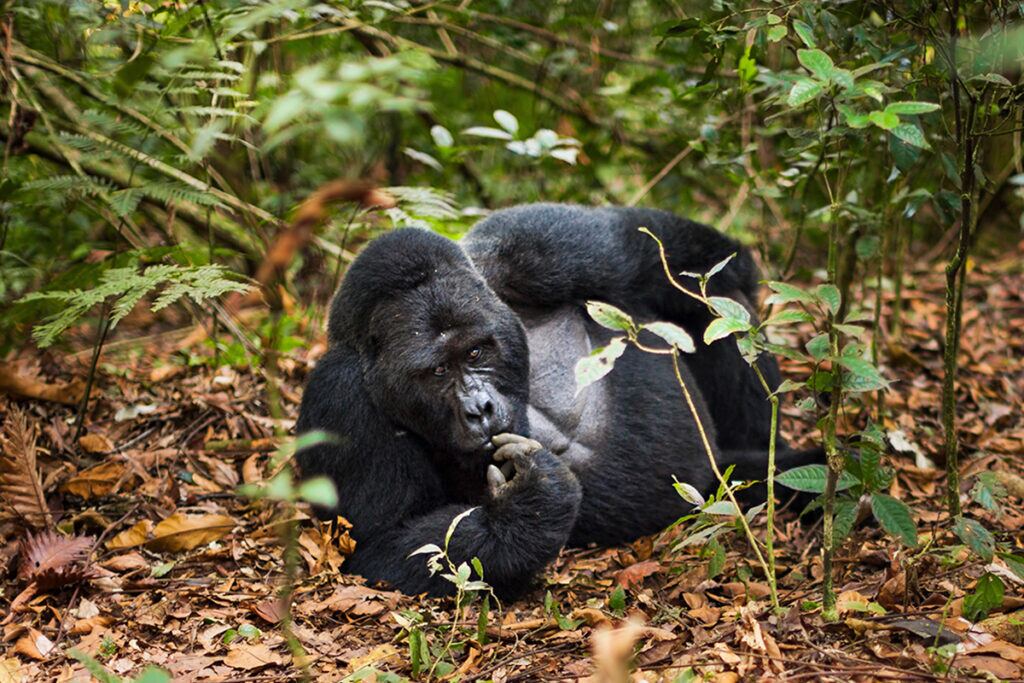
Why Connectivity Matters on a Rwanda Road Trip
On a self-drive holiday, your phone does a lot of work. It runs your navigation app, holds your permit confirmations and lets you call your lodge when you are running late. In addition, it is how you reach your rental team if a tyre goes flat on a back road.
Business travellers have extra needs. You may want to join a video call from a lodge, send files between meetings, or check email while your driver handles the traffic. Families, meanwhile, often just want a tablet that works on the long drive to Nyungwe.
The good news is that Rwanda has strong mobile coverage for its size. However, “strong” does not mean “everywhere”. Planning ahead keeps the gaps from catching you out.
Your Options for a WiFi Rental Car Rwanda Setup
There are three common ways to get online in a rented 4×4. Most travellers combine two of them for backup.
1. A local SIM card in your phone
This is the simplest route. The main networks are MTN and Airtel, and both sell prepaid SIMs and data bundles in Kigali. You will need your passport to register the SIM, which is a legal requirement. Shops at the airport area and in town can set it up in a few minutes.
2. Your phone as a hotspot
Once your SIM is active, you can share data with other phones, tablets and laptops in the car. This works well for couples. However, it drains your battery fast, so keep the phone plugged in while you drive.
3. A portable MiFi router
A pocket router lets several people connect at once without tying up one person’s phone. It suits families, film crews and small groups. If you want a router with your vehicle, ask for it when you request a quote, and confirm the data allowance and any charge in writing.
An eSIM is another choice if your phone supports it. Check that your handset is unlocked before you travel, because a locked phone will reject a local SIM.
Where You Will Have Signal (and Where You Won’t)
Coverage follows the main tarmac roads and the towns. So the route you choose shapes how connected you stay.
| Route from Kigali | Typical drive | What to expect |
|---|---|---|
| Musanze / Volcanoes | 2–2.5 hours | Good signal on the road and in Musanze town; weaker on trailheads and higher slopes. |
| Rubavu / Lake Kivu | 3–3.5 hours | Generally good along the main road and lakeshore towns. |
| Akagera gate | About 2.5 hours | Fine to the gate; patchy once you head deeper into the park. |
| Nyungwe | 5–6 hours | The forest road has long stretches with weak or no data. |
Inside national parks, treat any signal as a bonus. For example, during a game drive in Akagera National Park you may lose data for an hour or more. That is part of the experience, but it means you should never rely on live maps there.
Set Up Before You Leave Kigali
Ten minutes of preparation in your hotel saves a lot of stress later. Before your first long drive, run through this list.
- Download offline maps for the whole country in your navigation app.
- Save key numbers, including your lodges and our WhatsApp line, so you can call even without data.
- Screenshot bookings, permits and confirmation emails in case you can’t open them later.
- Top up data and airtime in town, where shops are easy to find.
- Turn off auto-updates so apps do not burn your bundle on a weak signal.
Also, share your route and daily plan with someone at home. If you go quiet for a few hours in Nyungwe, they will know why.
Keeping Devices Charged in a 4×4 Rental
Data is useless with a flat battery. Most of our vehicles have 12V sockets, and many have USB ports, but check the exact setup when you collect the car. A good car charger with two ports is worth packing.
Lodges in remote areas sometimes run on solar or limited generator hours. Therefore, charge everything when power is on, and carry a power bank for trekking days. On a gorilla trek in Volcanoes National Park, a charged phone or camera is essential, because you only get one hour with the family.
Camping trips need extra planning
If you book a vehicle with a rooftop tent, you may camp far from mains power. Ask whether your vehicle can take a dual-battery or inverter setup, and confirm the details in your quote. Our car rental with camping gear page lists what comes with each kit.
Driving Safely While Staying Connected
A connected car should not become a distracted car. Rwanda drives on the right, roads are narrow and winding, and you will meet cyclists, motorbike taxis and pedestrians often. Using a handheld phone while driving is illegal and dangerous.
So mount your phone on the dashboard and set the route before you pull away. If you need to make a call or change the destination, stop somewhere safe first. With a passenger, hand them the navigation job.
Also, do not trust apps blindly on rural tracks. Some suggest “short cuts” that turn into steep dirt roads, especially after rain. Stick to main roads when in doubt, and ask locals or your lodge for directions.
Using Your Connection on the Road
Once you are set up, a working connection makes the trip smoother in practical ways.
- Check weather before driving mountain roads to Musanze or Nyungwe.
- Send lodges your arrival time so they hold dinner.
- Share live location with your group when driving in convoy.
- Upload photos at the lodge Wi-Fi rather than on mobile data.
If you plan a long loop, our road trips in Rwanda guide suggests routes that balance driving time with stops. For an introduction to forest walks and the canopy trail, see this Nyungwe Forest guide.
Crossing borders with your data
Your Rwandan SIM may not work, or may cost a lot to use, once you enter Uganda, Tanzania or Kenya. Plan to buy a local SIM after crossing. Also remember that those countries drive on the left. Our cross-border car hire page explains the paperwork.
Self-Drive or Driver: How It Changes Your Data Needs
With self-drive in Rwanda, navigation is your job. You need reliable offline maps and a mounted phone.
With a chauffeur, the picture changes. Your driver knows the roads, so you can use your data for work, calls or photos instead. That makes a driver a sensible choice for business visitors who need to stay productive between appointments.
FAQ: Staying Online in Your Rental
Can I buy a SIM card at Kigali airport?
Yes, you can usually get a SIM near the airport or in central Kigali. Bring your passport, because registration is required.
Does a WiFi rental car Rwanda package include a router?
It depends on the vehicle and booking. Ask for a MiFi router when you request your quote, and confirm the data allowance and any charge in writing.
Will Google Maps work in Nyungwe Forest?
Not reliably online. Download offline maps before you leave Kigali, because the forest road has long gaps in coverage.
Is lodge Wi-Fi good enough for video calls?
In Kigali and Musanze, often yes. In remote parks, speeds vary a lot, so use mobile data as a backup.
Book a Connected 4×4
Tell us your route, group size and what devices you need to keep online, and we will suggest the right vehicle. Message us on WhatsApp at +250 725 074659 or email info@4x4carrentalrwanda.com to get your quote.